If you are building a Flex application, you may need a way to show messages to the user. The usual way to do this is via Alerts. Alerts can be quite distracting and generally avoidable. Another alternative is to have a status message area (like a status bar) and show messages there.
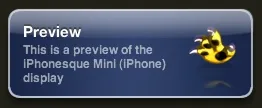
But an even more interesting idea would be to show notification windows / popups. If you have seen [Growl on the Mac, you know what I am talking about. Heck, even Facebook and most instant messengers show notifications now.
So how would you implement this using Flex?
Short answer, don't implement them yourself. There are two very good and free components available that you can use.
Flex Notification is easy to implement and works very well.
FlexGrowl looks and works excellent but needs Degrafa.
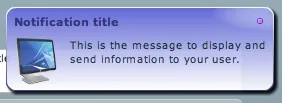

I used Flex Notifications in an upcoming product, but am facing some issues with focus loss when the notification goes away. Don't want to add the download overhead of degrafa to my app just for notifications yet!
Arnaud
Hello Nirav,
Just let me know how I can reproduce your issue and I will try to fix it. Till now, I have no problem with the focus in my application.
Regards
Arnaud
Nirav
Thanks Arnaud.
Here's what I have:
An editable datagrid. I set focus in the first row, second cell on application startup. I also want to display a notification to user like "Start typing to create a new item".
When I used your component, the notification displays, and the focus is still in the first row / second cell. But when the notification goes away, the focus goes away. This means the user can't just start typing. He has to click the second cell again to make it editable, and then type something.
I believe this is due to PopupManager's focus handling. Not sure how this can be solved.
TIA.
Tyler Chesley
Just wanted to point you to another notification component for Flex called Bark! Check it out! http://www.blog.tylerchesley.org/?p=8
Arnaud
Hi !
I tried to reproduce your issue with an editable datagrid. I edited it manually and threw different events to popup the notification.
I have no problem with event like itemEditBegin or itemFocusIn but I have a problem when the datagrid dispatches an itemEditBeginning event or just a focusIn event. I can see there is something with the focus management as the datagrid looses its focus when the Notification closes but retrieves it immediately, this regenerates an new itemEditBeginning event and the notification comes back... and so on.
For other "ok" events, the edited cell looses the focus if the Notification is closed manually, not if you let it go by itself using its timer.
Maybe can you change the event you dispatch to avoid this bug. I will check why there is a difference of behavior with some events.
Regards.
brunobg
has provision of SDK version 4.5?
brunobg
Nirav
Sorry, it's been a while to this and I haven't tested them for 4.5. If you do, please post a comment here for others' benefit :-)